
This is Orbi. Ask your way, it does it in the system.
Orbi is our artificial intelligence. Send the list, the spreadsheet, a photo or a voice note and ask for what you need: build the flows, compare, switch the criterion, generate the analysis, export the order or set up the buying agents’ campaign.

Wherever there’s a chat, there’s Orbi.
From the mess in the chat to keeping track of the buying agents. It’s on every screen that has a chat and does in the system what you ask, by text or by voice.
Sorts out the mess. The spreadsheet, the pasted list, the photo or the audio become flows, one per supplier.
Explains what was read in the quote and fixes the items when you ask.
Changes the criterion, explains the savings and writes the executive summary.
Builds the campaign with you, marks the suppliers found and tells you who replied and what depends on you.
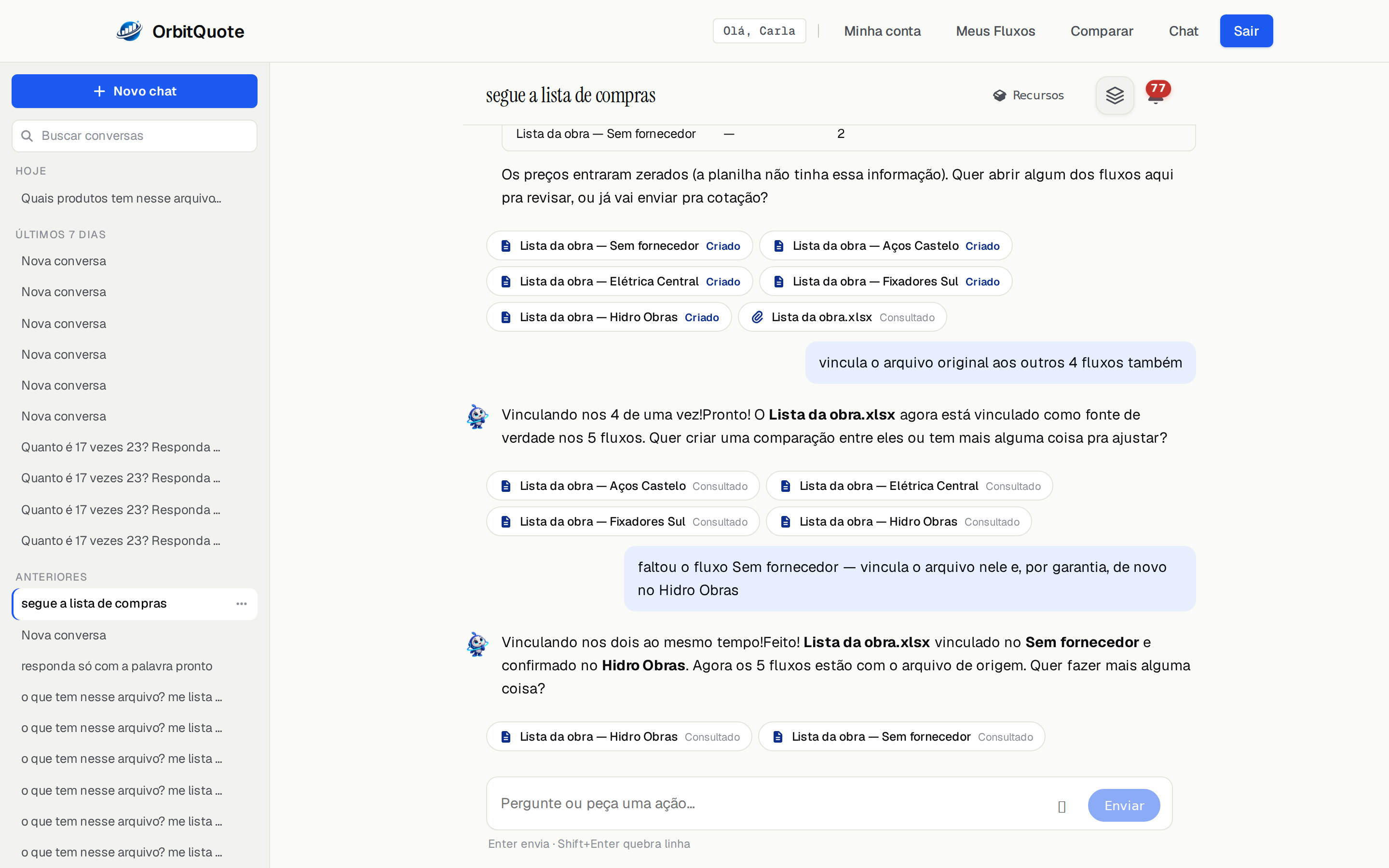
One spreadsheet, five flows, one sentence.
Send the spreadsheet from the job site, maintenance or stock and ask it to split by supplier. Orbi builds the flows, links the original file to each one and asks what’s next.
What you can ask for
Orbi uses the same tools you use on screen, and shows what it did in every reply.
Understand what came in
Spreadsheet, PDF, photo, pasted text or a voice note recorded in the chat.
Build the flows
From a list or a spreadsheet, one flow for each supplier or group.
Compare and explain
Build the comparison, switch the criterion, generate the executive analysis and export the order.
Take you to the right screen
Open the flow, the comparison or the campaign you’re talking about.
Set up the campaign
In the Agents panel, Orbi proposes the campaign with the items and the rules, and it only starts when you authorize it.
Tell you where things stand
Ask how many suppliers replied or what’s missing, and it answers with the state of the campaign.
Always one click away.
Orbi’s button sits in the corner of every screen, and conversations are saved, searchable by title or by what was said.
Send your next list to Orbi.
Create your account and start in the chat.
Talk to sales
Leave your contact and we'll get back to you fast.
Message sent! We'll get back to you soon.