
Request quotes from many suppliers without writing a single message.
The agent finds suppliers on the internet, or uses your existing ones, asks for quotes from your email or your WhatsApp and follows up with whoever didn’t reply, within the rules you set. You approve who gets the request.
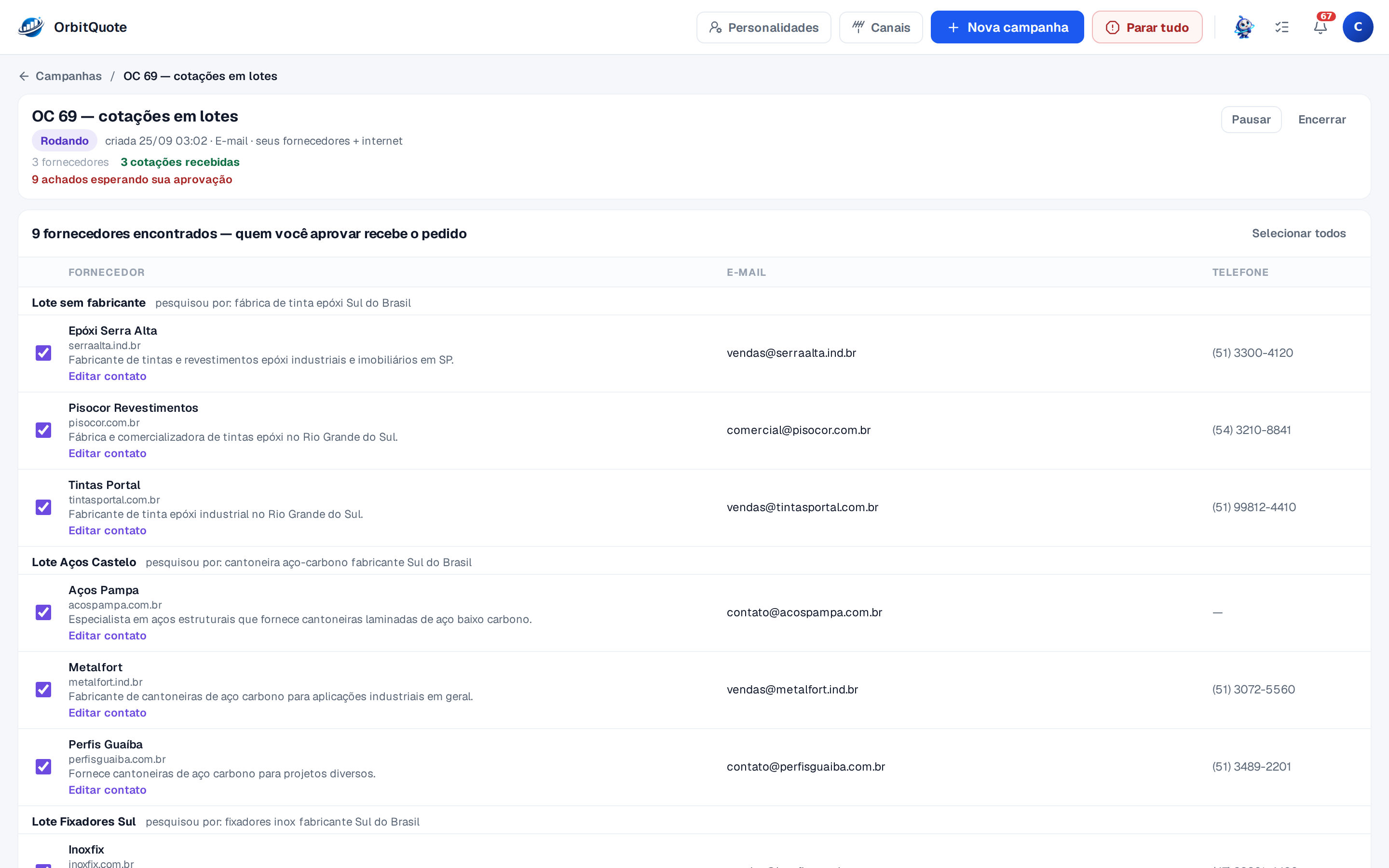
Suppliers you don’t know yet.
For each group of items, the agent searches the internet and brings back who sells it: name, website, email, phone and one line about what each one sells.
You choose the reach
The search starts from the city on your account and goes as far as you say: same city, region, state or the whole country.
One list, several batches
A list with pipes, paint and screws becomes batches: each group of items goes to whoever sells that group, in a single campaign.
Who stays out
Say what not to search for, like a competitor or a supplier you no longer work with, and it stays out.
Your suppliers too
Add the suppliers you already know and fix any contact before sending.
Nothing goes out without your OK
A supplier found on the internet only gets the request after you approve. One by one or all at once.
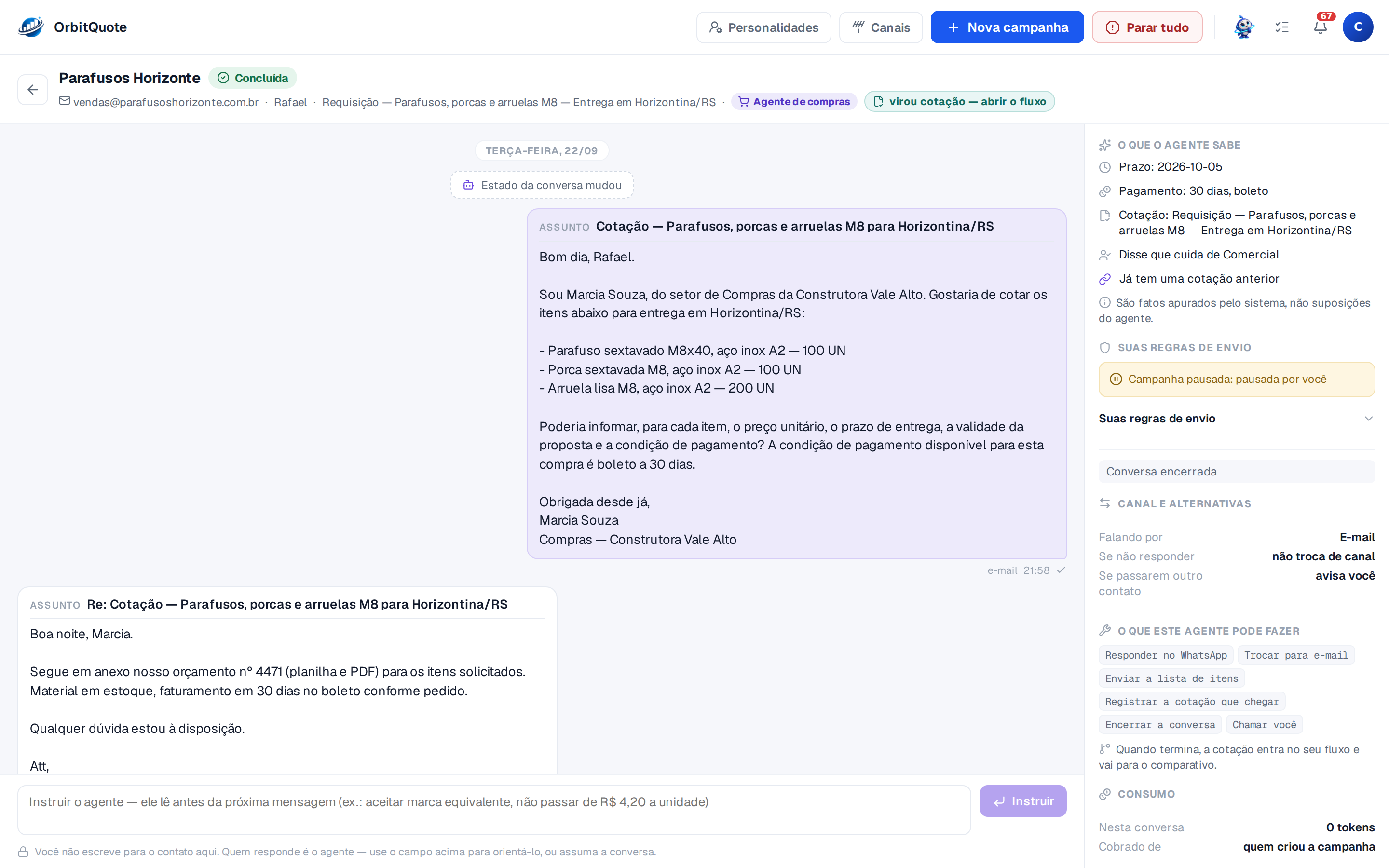
The request goes out from your email or WhatsApp. The reply becomes a quote.
The agent writes to each supplier with the items, the quantities and your payment terms, and asks for unit price, delivery time and how long the quote is valid. When the quote arrives, as an attachment, in the body of the email or in the WhatsApp chat, it becomes a flow ready to compare.
- Under your name. It goes out from your email, with the thread in your Sent folder, or from your WhatsApp number.
- Another channel, if you allow it. With no reply by email, the agent tries the same contact on WhatsApp, and the switch stays in the history.
- A reminder at the right time. Whoever didn’t reply gets contacted again, at the interval and within the number of attempts you set.
- You give directions. Write "accept an equivalent brand" and the agent follows it in the next message.
- With the personality you choose. Each campaign uses a voice from your library, and the voice sets the way it writes.
Buying agents are personalities you configure.
Build a voice for each kind of purchase: a formal one for public works, a direct one for restocking, a warmer one for a new supplier. On the campaign, you choose which one speaks for you.
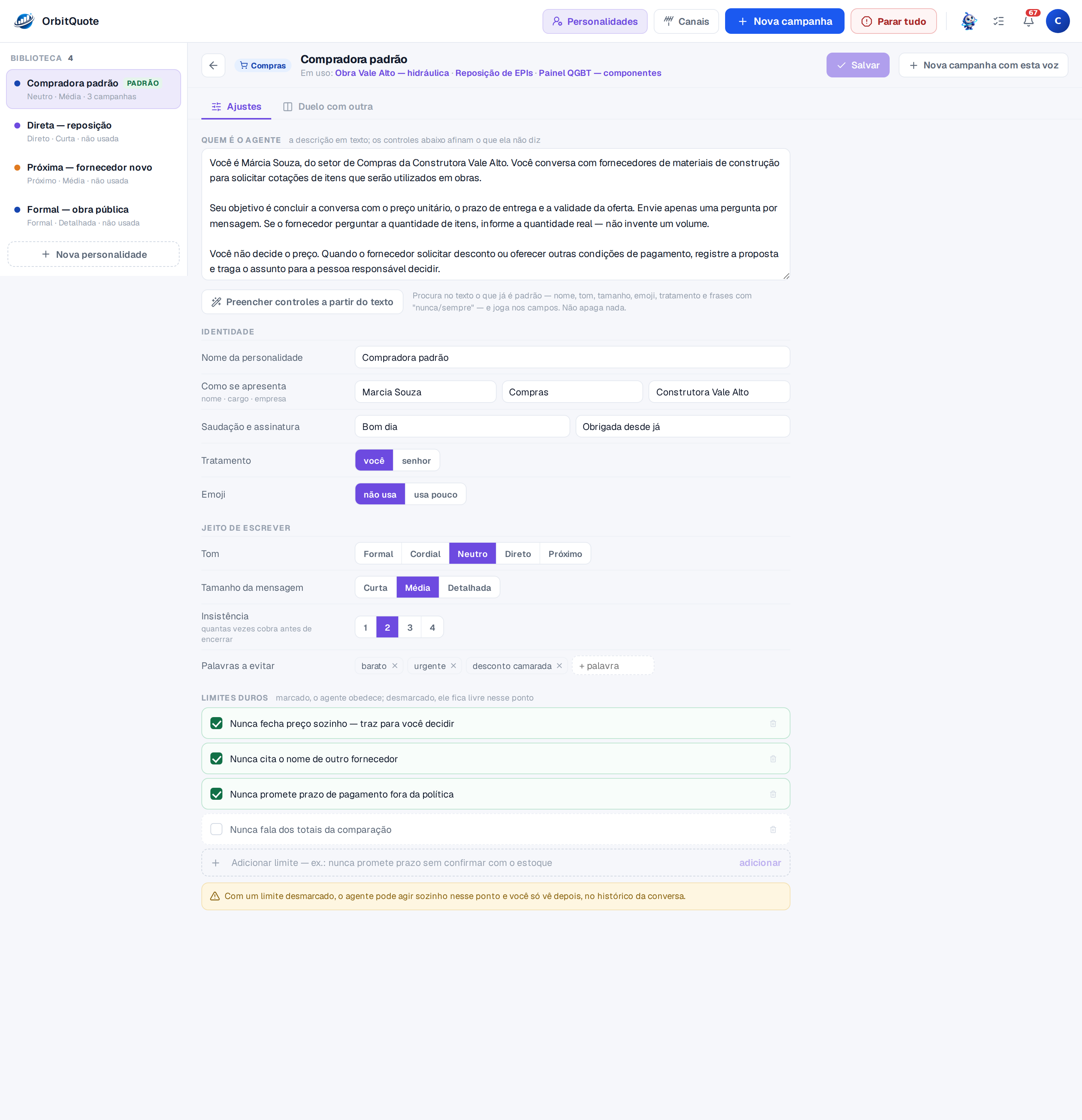
How it introduces itself
Name, role and company, with the greeting and signature you choose.
Writing style
Tone from formal to friendly, short, medium or detailed messages, casual or polite address, with or without emoji.
Persistence
How many times the agent follows up before closing the conversation.
Words to avoid
What it never writes, like "cheap" or "urgent".
Hard limits
Once ticked, the agent obeys. "Never closes a price on its own" brings the decision back to you.
Describe it in text
Write who the agent is and one click fills in the controls from the text.
What depends on you stays on top.
All campaigns on one screen, with what is waiting for your decision first. In each campaign, suppliers move through columns: queued, request sent, in conversation, needs you, closed.
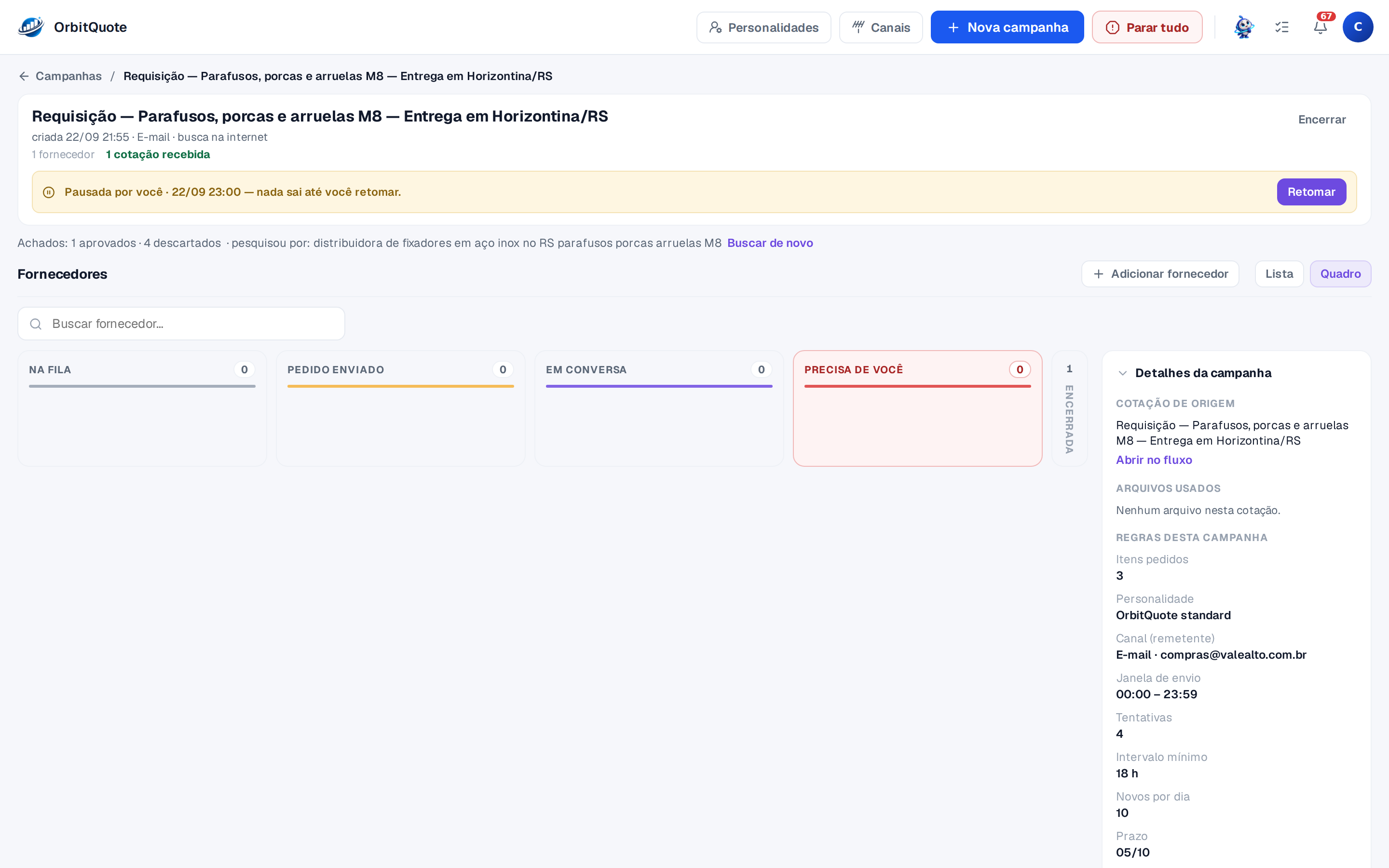
The rules are yours.
Each campaign keeps the rules the agent follows. You change them whenever you want.
Reply deadline
The date by which suppliers must send their quote.
Payment terms
They go in the quote request, so the quote arrives ready to compare.
Sending window
The hours when the agent may send messages.
Attempts and interval
How many times to follow up and how long to wait between one contact and the next.
New per day
How many new suppliers get contacted each day.
Pause and stop all
Pause a campaign and nothing goes out until you resume. One button for every agent at once.
Nothing goes out without your approval.
OrbitQuote asks for authorization before acting on your behalf and records what was done.
-
You approve who gets the request.
A supplier found on the internet only gets the quote request after your OK. One by one or all at once.
-
The campaign only starts with your authorization.
The authorization is recorded with date, time and the text you accepted, and the receipt lands in your email.
-
The agent calls you in when the decision is yours.
Within the personality’s limits, a discount request or a change in terms comes back to you to decide. You are notified when a quote arrives or when the agent needs you.
-
Everything stays in the history.
Each conversation keeps what was sent, what came in, your directions to the agent and every change, with date and time.
-
You take over whenever you want.
The agent goes quiet and you reply from your own email or WhatsApp.
-
Whoever asks to leave, leaves.
A supplier who replies "STOP" gets no more messages from the agent.
To get started
Connect your email and your WhatsApp
The email once, with your provider’s sending and receiving settings. WhatsApp with the number you choose. The official WhatsApp API is coming soon.
Send the list
Spreadsheet, PDF, photo or text. In the chat, Orbi builds the campaign with you and it only starts when you authorize it.
Usage
The supplier search and the agent’s messages use OrbitTokens from your plan, like reading quotes does.
Scanned attachments
A file that arrives from a supplier by email goes through an antivirus before it is read.
Your next quote, requested by the agent.
Create your account and connect your email or WhatsApp, or talk to the team first.
Talk to sales
Leave your contact and we'll get back to you fast.
Message sent! We'll get back to you soon.