
The quote arrives. The items are already in the table.
Send the PDF, the spreadsheet, the XML or a photo of the paper. OrbitQuote reads each line (code, description, unit, quantity, price and taxes) and builds the supplier’s flow, ready to check and compare.
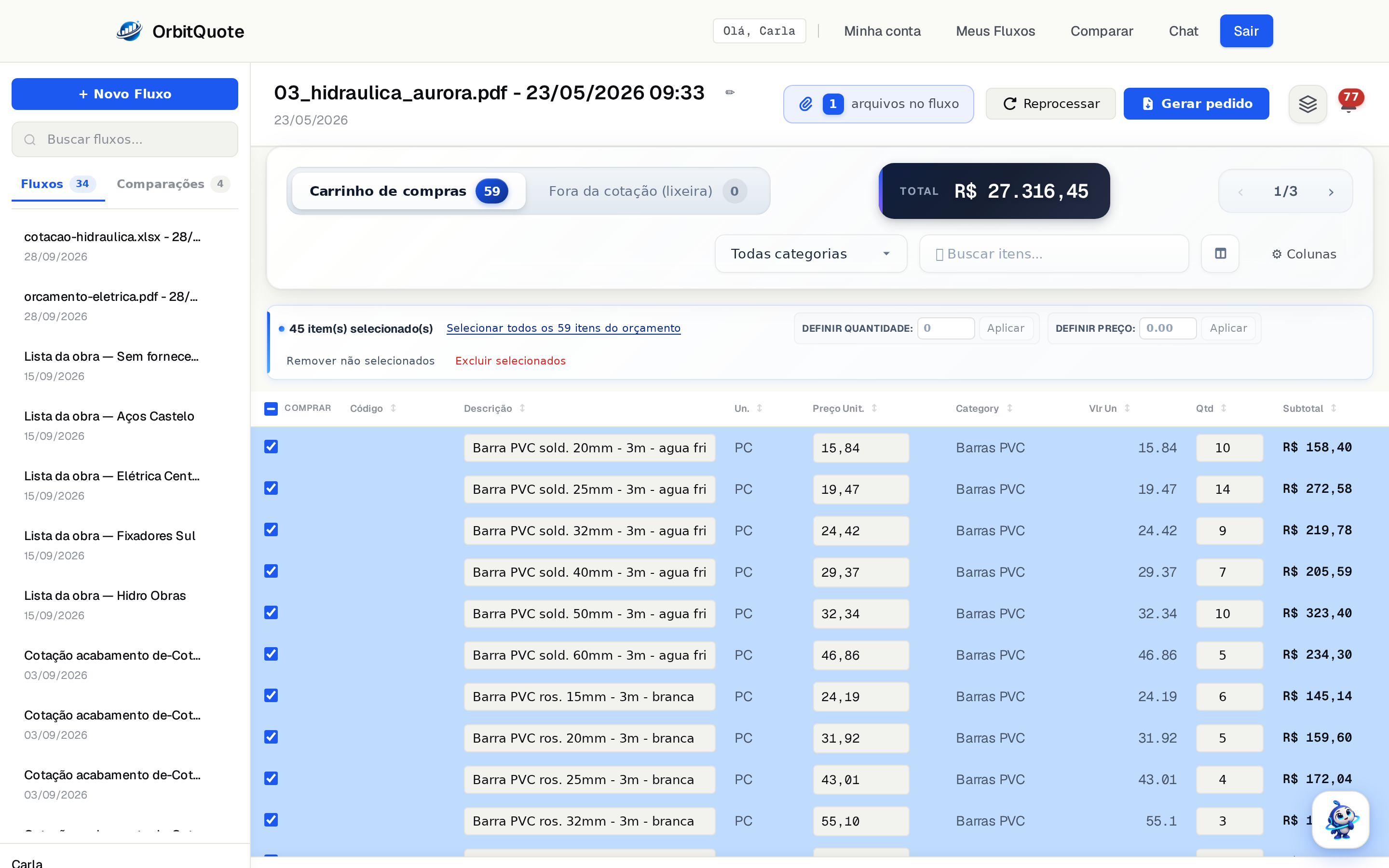
The way the supplier sent it.
No need to convert or standardize. Each file becomes that supplier’s flow.
Large files
A scanned PDF with many pages is read in parts, and each flow accepts more than one file from the same supplier.
In about a minute
That’s the average time to read a quote. Meanwhile, you keep working and get notified when it’s done.
Agent replies
When a supplier replies to the buying agent’s campaign, the quote becomes a flow without you opening the email.
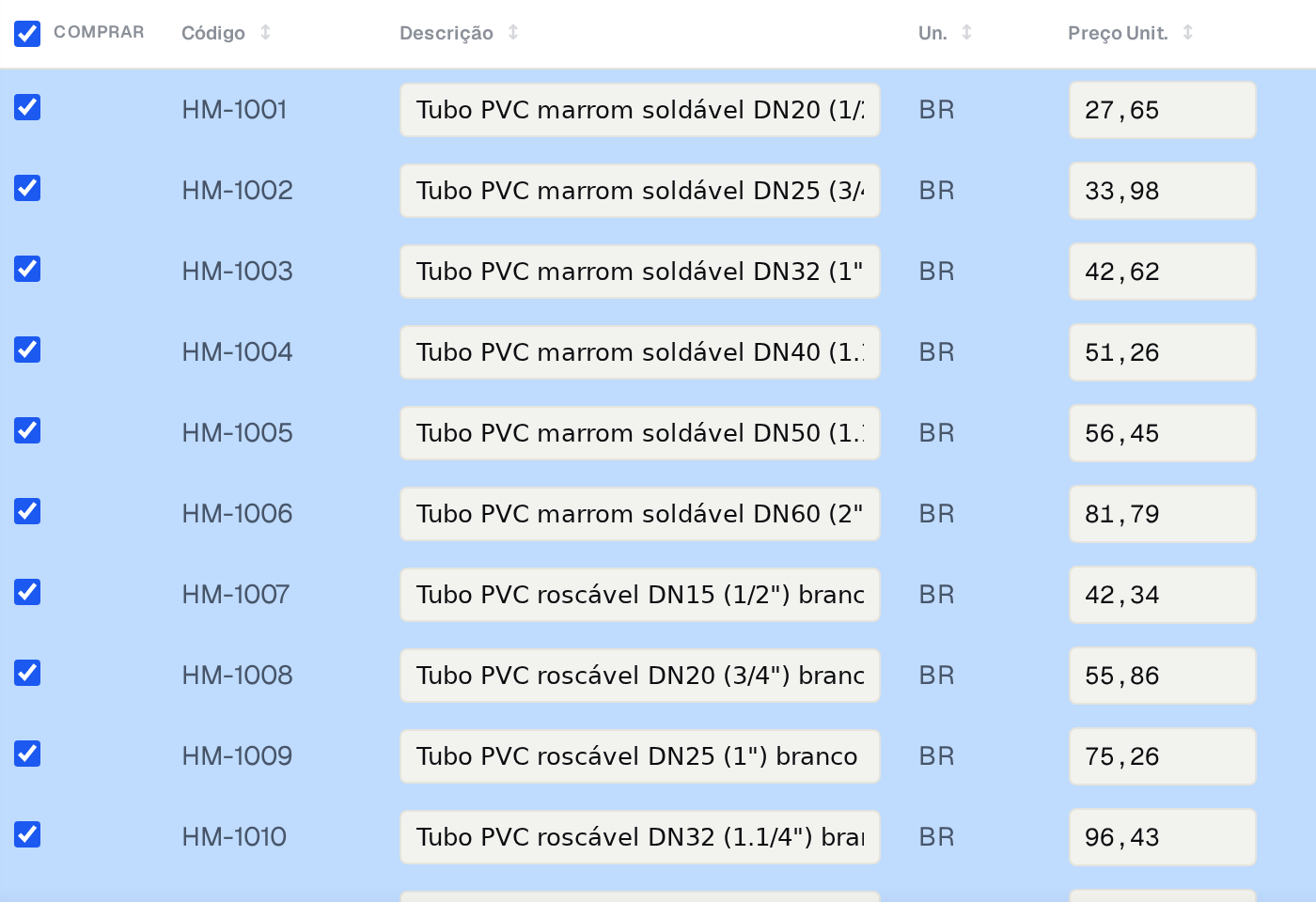
A whole catalog becomes a table. No code digging.
Send the supplier’s full catalog. OrbitQuote extracts each product with code, description, unit and price, when the catalog has them. Instead of you losing time digging for product codes, the system does it on its own.
The catalog becomes a flow: search for the item, filter by category and compare it with the next quote that comes in.
Checking takes seconds. Fixing, too.
The table is yours: anything the reading brought in can be adjusted right there.
Line by line
Supplier code, description, unit, quantity, unit price, subtotal and category.
Taxes when they come
IPI and ICMS-ST on each line go into their own columns when the document states them.
Original document alongside
Open the supplier’s file next to the table to check any value.
Fix it in the table
Click the field and change it. Quantity and price can also be adjusted for many items at once.
Cart and trash
What doesn’t go into the quote leaves the cart and stays apart, without getting lost.
Order straight from the flow
With the items chosen, generate that supplier’s order without going through the comparison.
Your list becomes a flow too.
The request that came in as a spreadsheet, PDF or photo becomes an organized list, ready for the buying agent to ask suppliers for prices.
Send the next quote and see the table ready.
Create your account and start with the file sitting in your inbox right now.
Talk to sales
Leave your contact and we'll get back to you fast.
Message sent! We'll get back to you soon.